


TL;DR
- SAP Business One is an all-in-one ERP for small and medium businesses that covers finance, inventory, sales, purchasing and production in a single system.
- Built-in automation tools like Approval Procedures, Recurring Transactions and the Alerts Management system reduce manual effort and human error.
- Manufacturers can manage demand, procurement and shop floor activity without relying on spreadsheets with the help of Production Planning and MRP (Material Requirements Planning) modules.
- SAP HANA as a database engine enables real-time analytics and faster reporting, giving decision-makers current data at their fingertips.
- The SAP Business One Web Client offers browser-based access, making it easier for teams to work from multiple locations.
- Indian businesses benefit from built-in GST compliance, multi-currency handling and localised tax reporting.
Why 2026 Will Be Different for Indian SMEs
Small and medium enterprises throughout India are facing a lot of pressure, making the status quo unsustainable. There are several familiar challenges, such as rising customer expectations, stiff compliance requirements and the pressure to do more with leaner teams, but the AI boom in 2026 adds a new layer of challenges.
From demand forecasting and customer communication to financial analysis and operational planning, businesses have begun using AI tools for nearly everything. However, these AI tools are only as good as the data being fed into them. This means you cannot take meaningful advantage of AI, regardless of which tools you adopt, if your business data is fragmented across spreadsheets, disconnected software and manual records.
The foundation is crucial for your small or mid-sized business. With SAP Business One, you have a structured, integrated data environment that makes AI adoption practical. It has its own analytics and decision-support capabilities that offer the critical intelligence essential for your day-to-day operations.
SAP Business One: One System for Every Core Function
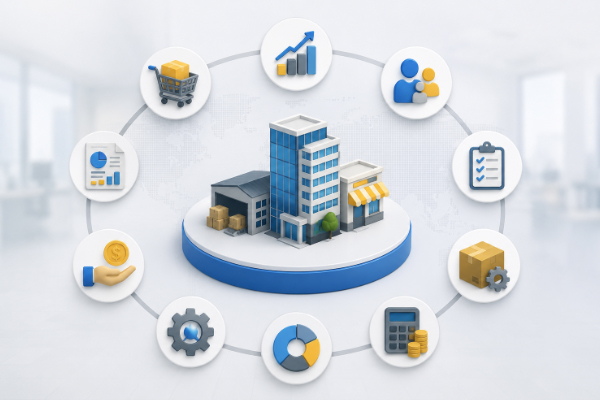
The most immediate advantage of SAP Business One is that it brings your entire business into a single, integrated system. This means finance, purchasing, sales, inventory and production are all connected. When a sales order is raised, it updates inventory levels. When a purchase order is approved, it flows directly into accounts payable. For Indian businesses that deal with multiple product lines, multiple warehouses or both manufacturing and distribution, this level of integration helps minimise errors and delays.
Built-In Automation: Reducing Manual Work at Every Step
One of the most crucial SAP Business One features is the range of automation capabilities that come built into the system.
- Approval Procedures in SAP Business One allow businesses to set rules for when a document, such as a purchase order above a certain value, requires sign-off from a manager before it can proceed. This runs automatically in the background, meaning there is no need for phone calls or separate email approvals.
- Recurring Transactions let you set up journal entries or payments that repeat on a schedule to automate regular business processes. It means you do not need to manually create monthly rent, depreciation entries or fixed supplier payments each time.
- The Alerts Management module enables the system to notify specific users when predefined conditions are met. For instance, the system immediately alerts the right person when the stock of an important item falls below the expected level or when a customer’s outstanding balance exceeds a limit. Your team does not need to check reports manually throughout the day.
- Dunning is another built-in feature that automates follow-up communications with customers who have overdue invoices. It allows you to configure different levels of follow-up based on how overdue the payment is, and the system generates the appropriate letters or notices on schedule.
Production and Planning for Manufacturers
For Indian manufacturers, SAP Business One offers solid out-of-the-box tools for planning and shop floor management.
The MRP (Material Requirements Planning) module analyses current inventory, open sales orders and forecasts to recommend what needs to be purchased or produced and by when. It eliminates the risk of over-ordering or running short of critical raw materials.
Production Orders track the full lifecycle of a manufacturing job, from the bill of materials through to finished goods. Costs are captured at each stage, which means you can see exactly what a product costs to make.
Real-Time Reporting With SAP HANA
Businesses running SAP Business One on the SAP HANA database benefit from in-memory processing. This means that even complex reports run in seconds rather than minutes. This is particularly valuable for finance teams who need up-to-date cash flow positions, or for sales managers who want a live view of open orders and revenue forecasts.
The built-in Crystal Reports integration, available natively within the system, allows businesses to build and run customised reports without needing a separate reporting tool. Managers can design the reports they need, save them and run them at any time.
With the Interactive Analysis feature in SAP Business One, users can drag and drop fields to explore data in a pivot-table format directly within the system. This makes it straightforward for non-technical users to get answers to business questions without waiting for IT support.
GST Compliance and Localisation
For businesses operating in India, GST compliance is non-negotiable. SAP Business One includes built-in support for India-specific tax requirements, including CGST, SGST, IGST and the generation of GST returns.
Tax codes, HSN/SAC codes and e-invoicing requirements are managed within the system, reducing the compliance burden considerably. Since everything flows from the same transactions used in day-to-day operations, the risk of discrepancies between your books and your GST returns is significantly reduced. Other crucial features include multi-currency support, automatic handling of exchange rate differences and reporting of foreign currency transactions in your base currency.
Access and Flexibility With the Web Client
The SAP Business One Web Client provides browser-based access to the system. This means users can work from a laptop, tablet or any device with internet access, which is especially useful for businesses with multiple sites, travelling sales teams or management who need visibility on the go.
The Web Client has been progressively updated and now covers a wide range of day-to-day tasks, including sales order management, purchasing and financial approvals.
Conclusion
In 2026, business owners need to ensure their business is running on a foundation that can handle what comes next. The SAP Business One features covered in this post are all available out of the box. Whether the priority is reducing manual effort, improving compliance, getting better visibility into stock and production or simply having one reliable system across the business, SAP Business One addresses each of these needs through its core functionality.
If you are evaluating whether SAP Business One is the right fit for your business, the team at Praxis Info Solutions is happy to have that conversation. With over 13 years of implementation experience and deep expertise across manufacturing, distribution and processing industries, Praxis can help you understand what is possible and what makes sense for your specific situation.
FAQs
SAP Business One supports GST requirements, including tax code configuration, HSN/SAC code mapping and generation of data required for GST returns. It captures the right tax details at the transaction level. Actual filing is done through the GSTN portal. However, having accurate, structured data in SAP makes that process considerably simpler.
Yes. SAP Business One includes modules for both production management and trading or distribution. A business that manufactures some products and trades others can manage both within the same system, with shared master data for items, suppliers and customers. This avoids the need for separate systems and manual reconciliation between them.
Reports in SAP Business One are pulled on demand by a user. Alerts, on the other hand, are triggered automatically by the system when a specific condition is met, such as a stock level dropping below a defined threshold or a customer balance exceeding a credit limit. Alerts reach the right person in real time, without requiring anyone to actively monitor or run a report.